Sequoia 1.6.0, 1.6.1 and 1.6.2

-
14 September 2026
-
14 September 2026

Hey, guys!
It’s been a while. Summer happened. We gave ourselves some time to rest and take vacations. After all, achieving big things takes a lot of energy. And the only way to have that energy is to get enough rest. So there’s a bit of a paradox here: to achieve more, you need to rest more.
Still, work on Sequoia never stopped. We managed to release three updates, and now I’m going to tell you about each of them.
1.6.0: Quick Access to Workouts and Online Consultations
In the first of these three releases, we added Live Activities. They’re a bit like push notifications that work independently. We had already implemented this technology before. You may have noticed it when you collapsed the app while doing an exercise. A small banner appeared on the main screen showing information about the exercise and how much time was left. We made this so users could continue an exercise while using their device for other things.
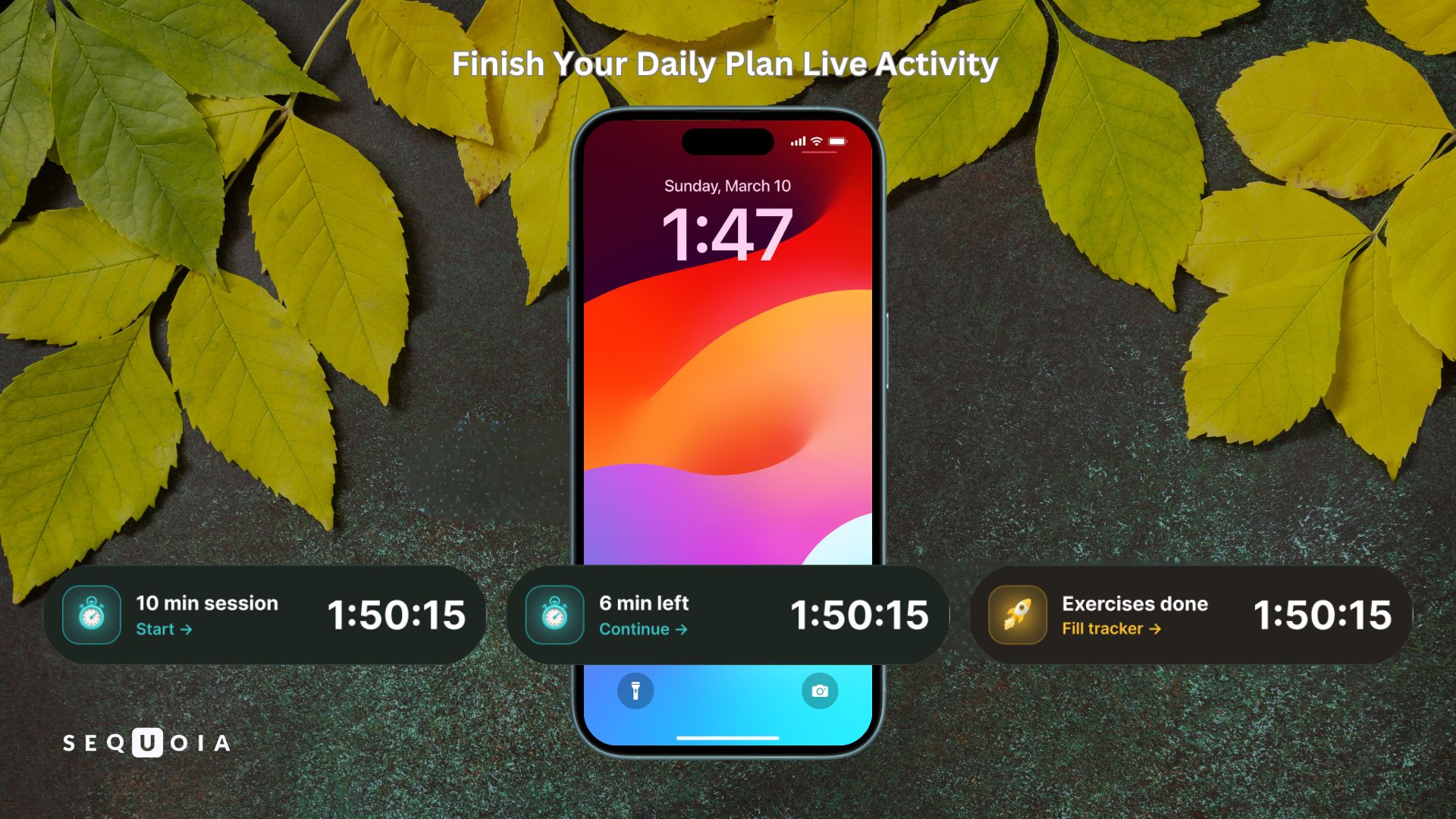
Now we’ve expanded this functionality. A Live Activity appears 3 hours before the end of the day and tells the user how many exercises are left to complete their daily plan. It also shows a countdown timer with the time remaining. The idea is to help users complete their daily plan regularly and, as a result, achieve better results in improving their intimate health.
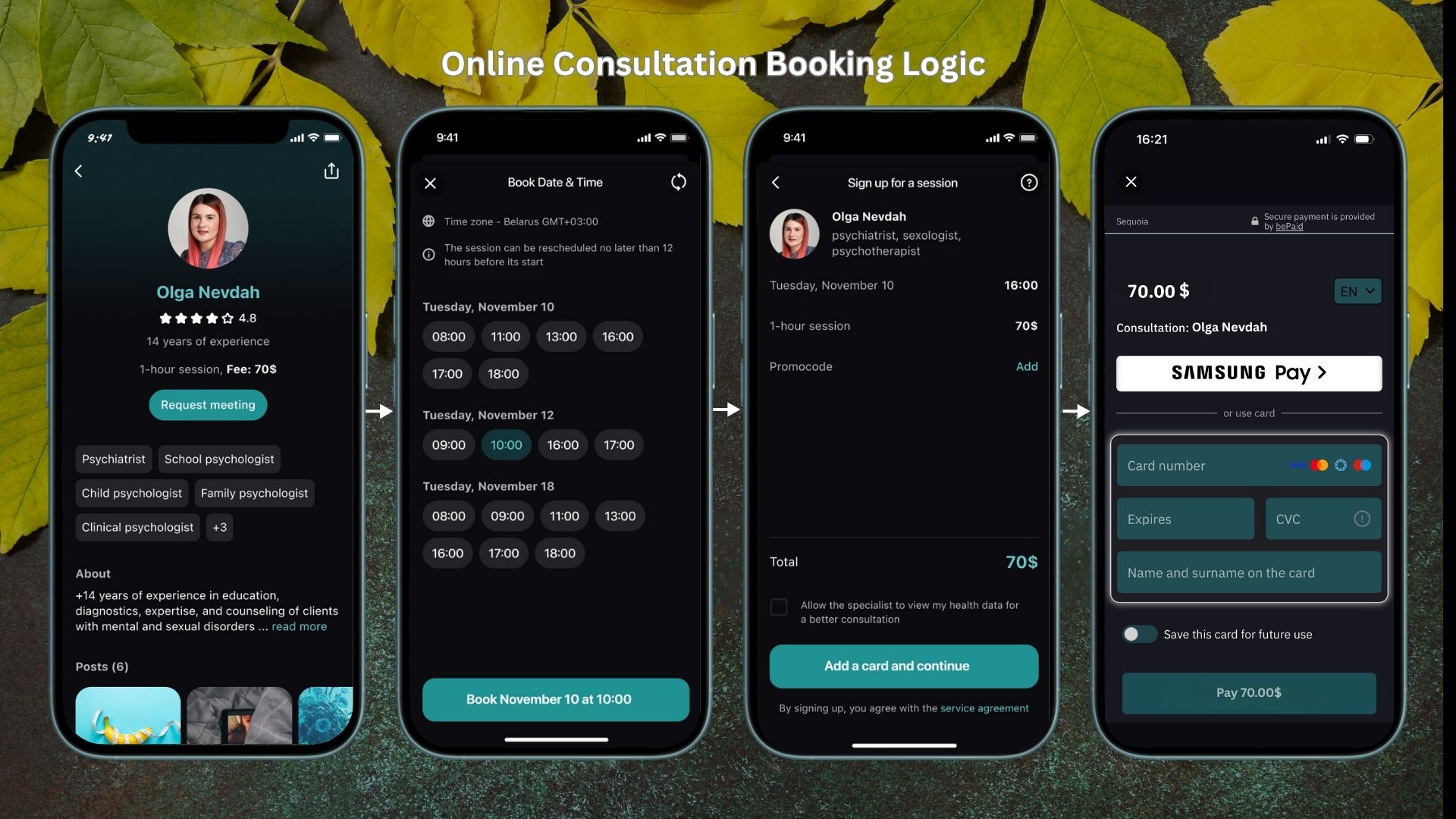
Another very important feature was the full launch of online consultations. Previously, users could only choose a specialist and submit a consultation request. We would receive the request, discuss available times with the specialist, and then email the user with booking options and a payment link.
At the time, we deliberately kept this functionality limited because we wanted to test the demand. In the end, we received a lot of consultation requests and decided to develop the feature further.
Now, in addition to choosing a specialist, users can select a date and time and make the payment directly in the app. At the scheduled time, they’ll receive a notification that the consultation is starting and can join it directly from the app.
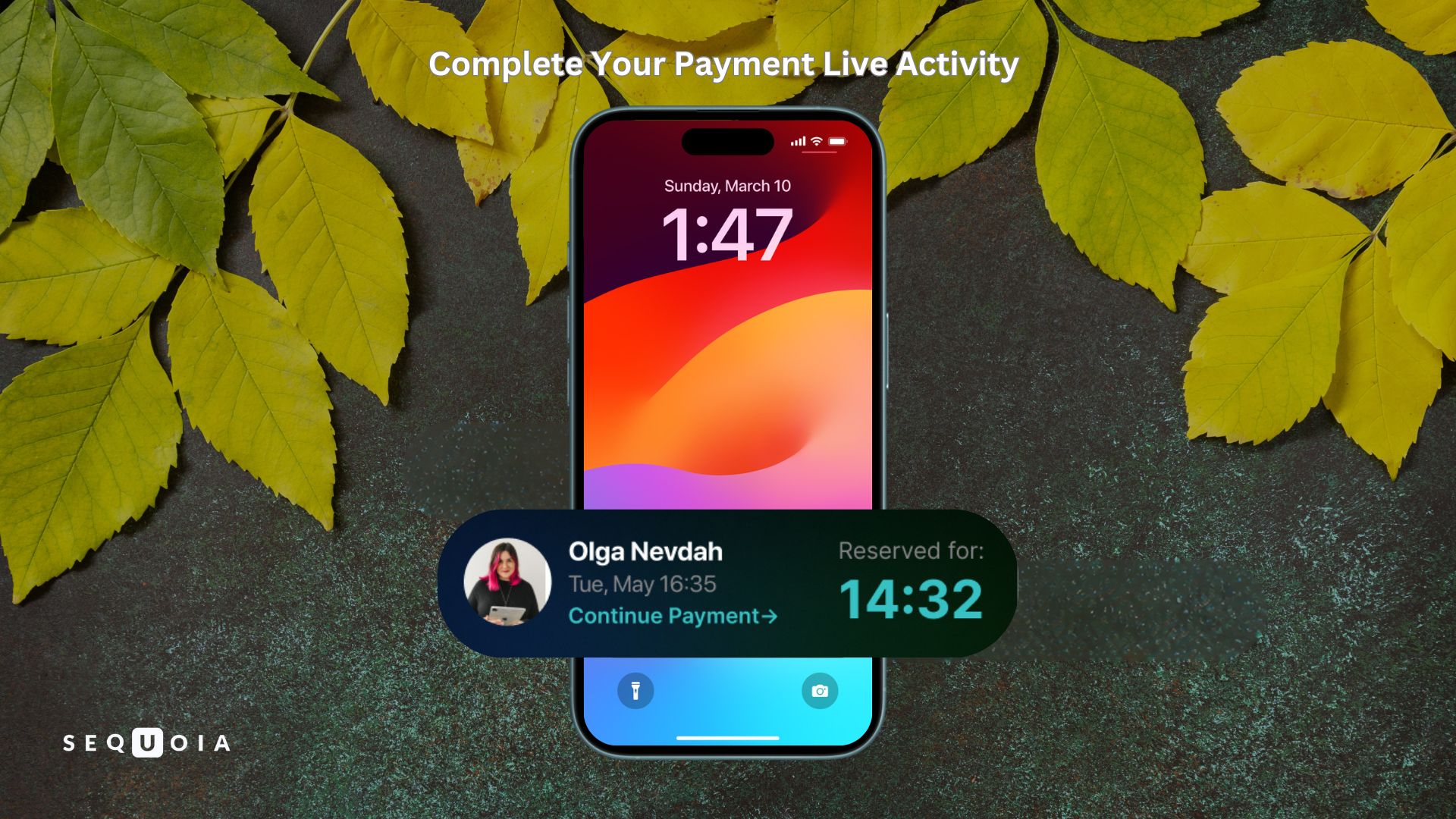
By the way, we implemented Live Activities here too. If a user almost books a consultation but, for some reason, doesn’t complete the payment on the payment screen, they’ll see a banner telling them that the selected time slot is reserved for 15 minutes and that they can complete the payment during that time.
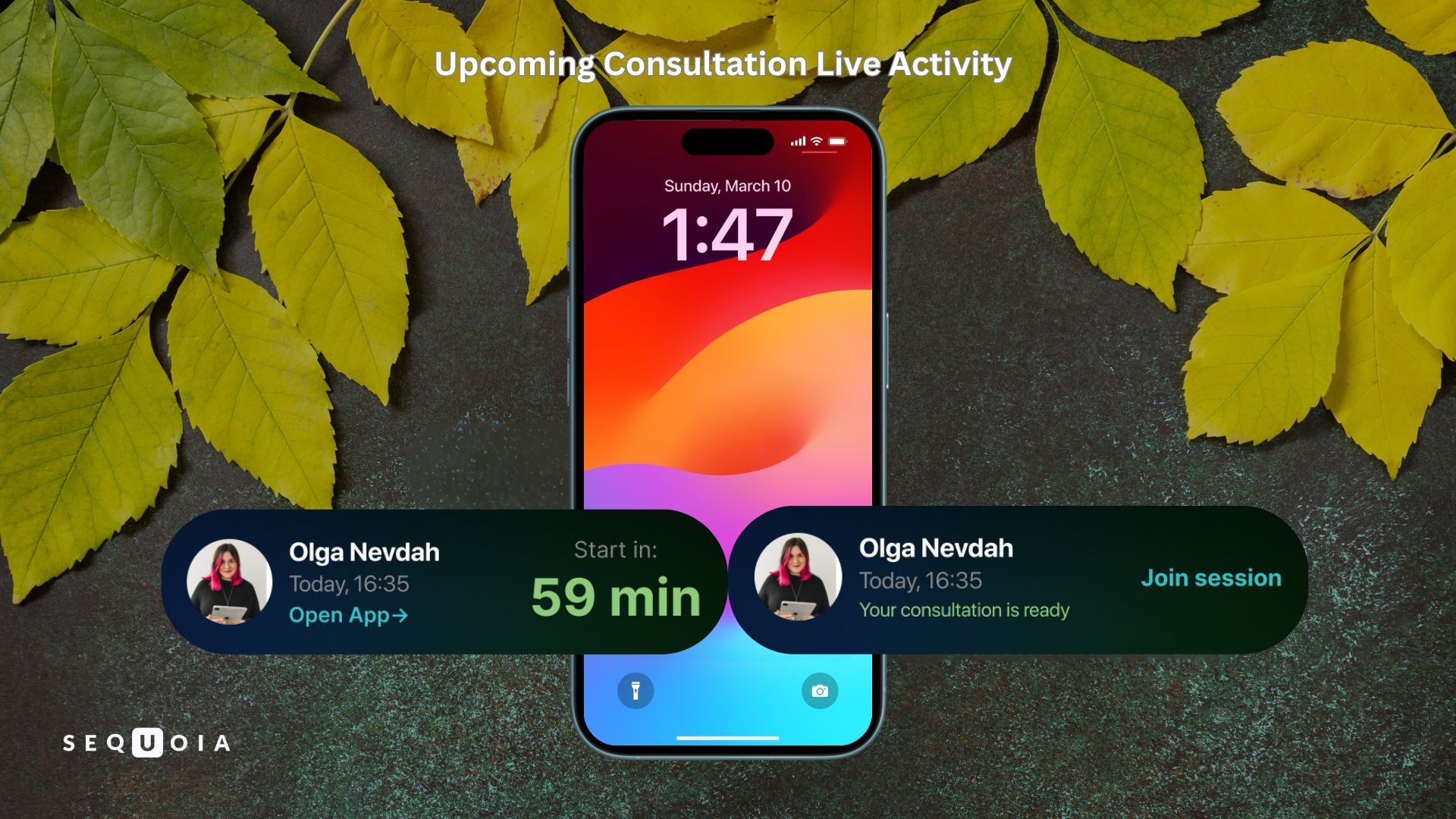
If the payment is successful, a Live Activity will appear one hour before the consultation to remind the user about their upcoming session with the specialist. Everything is designed to make the experience more convenient and help users avoid missing a session they’ve already paid for.
Right after the release, we received two consultation requests. This feature took a lot of work, so we’re happy to see that all that effort wasn’t for nothing.
For now, though, consultations are only available in Russian, Belarusian, and Ukrainian.
Unfortunately, we don’t yet have specialists on our team who can provide consultations in other languages. So if you have the right expertise or know someone who does, email us at
1.6.1: Hotfix
After the 1.6.0 release, we discovered an issue affecting some users: the app crashed on launch. This confused us a little because we had thoroughly tested everything before the release and simply couldn’t have missed such an obvious and critical bug.
It turned out that the crash only occurred for users who had progressed through the exercises all the way to the maximum difficulty level. We quickly figured out what was happening and submitted a fixed build to the App Store.
1.6.2: New Profile Screen Design
We had been planning this task for a long time as part of the app redesign. But it’s not just about a new look. The idea goes much further than that.
Previously, this was essentially a settings screen that users didn’t visit very often.
Now, it’s a completely reimagined screen that shows information about the user’s current health status and their progress through the 21-day plan.
As soon as users open the screen, they can see their latest IIEF score, the number of exercises completed, the time spent on their plan today, health trends, and much more.
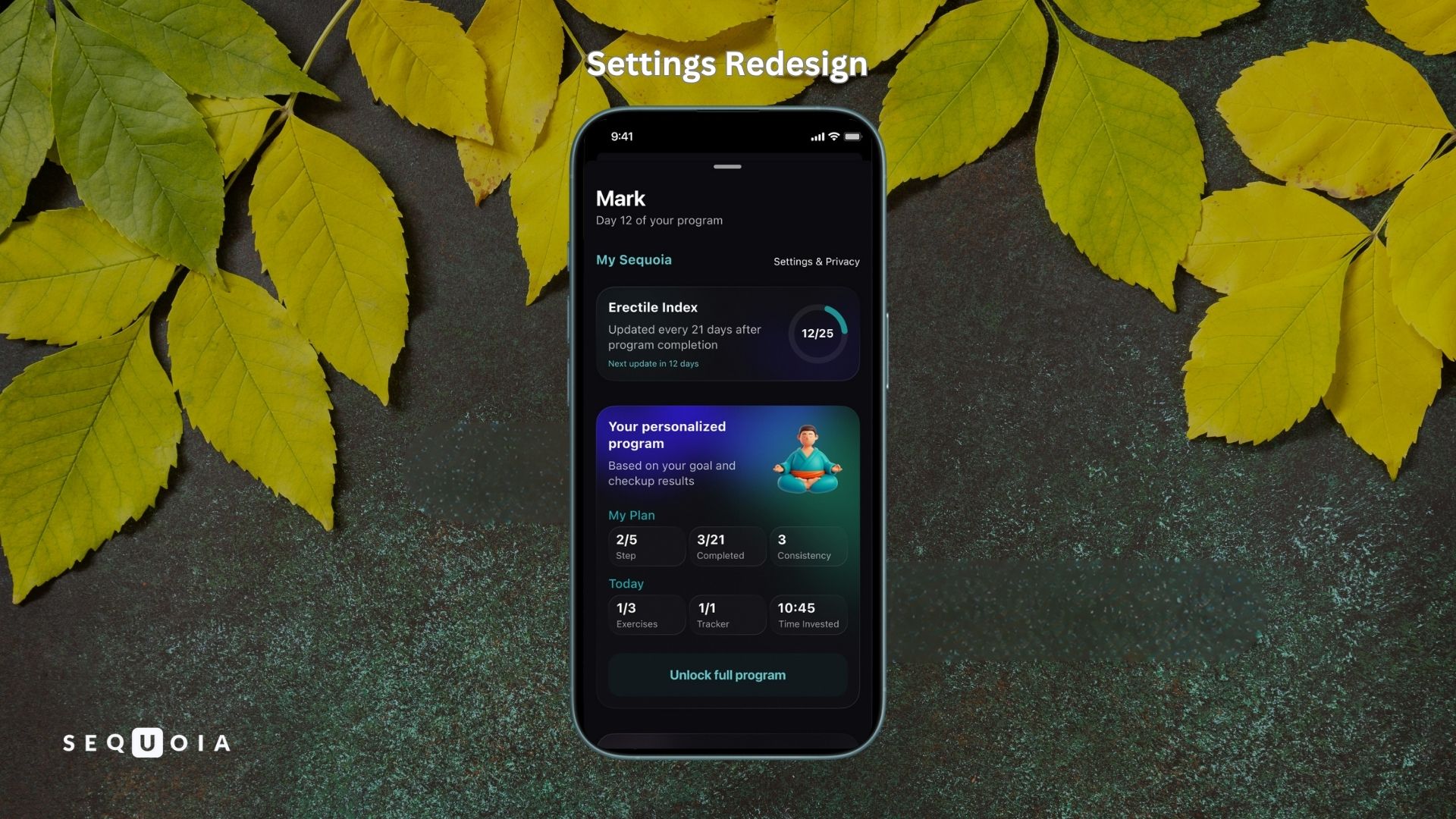
The settings haven’t disappeared, of course. We simply moved them to a separate tab.
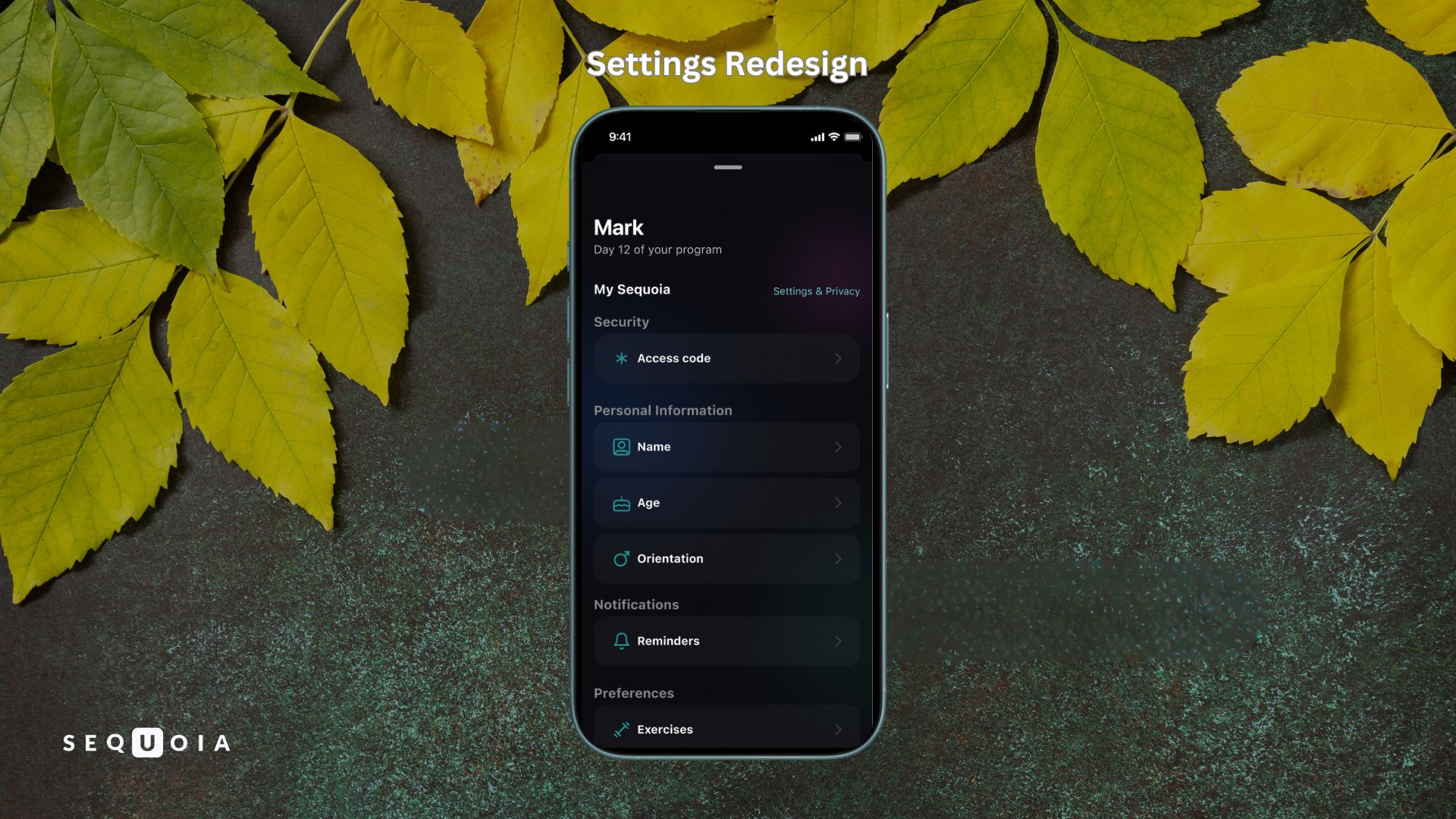
Personally, I think it turned out really well. But this is only the beginning. There’s still a lot we want to improve and add. We’ll get to all of that later.
A Pause
At this stage, we’re going to pause development of the iOS version for a while and focus on promoting the product.
You can build new features forever. But unfortunately, even a great app won’t promote itself. So that’s what we’re going to focus on now.
This will help us get the resources we need to return to Sequoia’s development with renewed energy.


Related articles


Start Your Personalized Program




.svg)
.svg)